Stripchat App: How to Install It on PC and Phone (2026)
Updated 17 November 2026. Steps and screenshots are our own (Chrome on Windows and on Android, 17 November 2026); buttons and messages may change. The Chrome interface in the screenshots is in Polish, the English labels are in the steps. Previews on the screenshots are blurred on purpose.
You can install Stripchat like an app: you get an icon on your desktop or phone screen and a separate window without an address bar. Below is how to do it in Chrome on Windows and on an Android phone, what you will see on the way and how to remove it later.
In short
- Installation happens in Chrome and takes a few clicks. You do not need an app store.
- On a computer Chrome asks whether to add a desktop shortcut. The app opens in its own window.
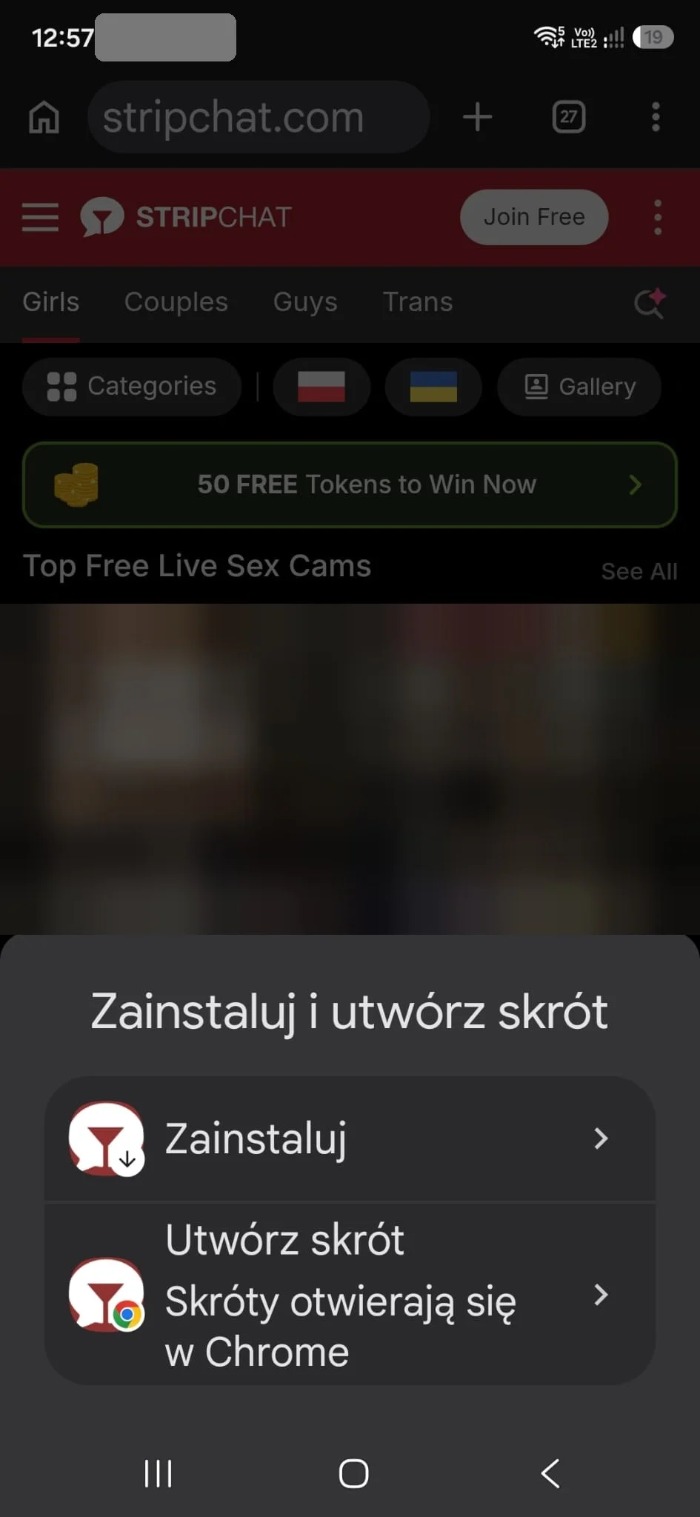
- On a phone Stripchat suggests installing, and Chrome offers “Install” or “Create shortcut”.
- Installing does not change your account privacy settings, and the Stripchat icon is visible to anyone who sees your screen.
What this app is
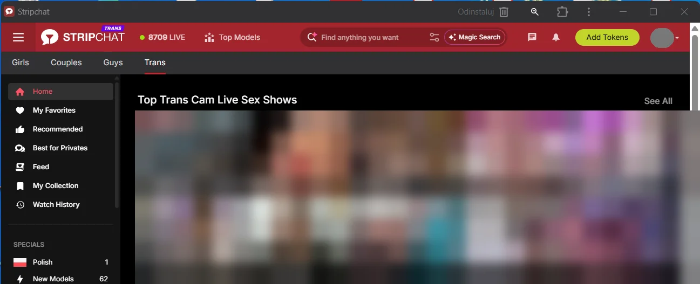
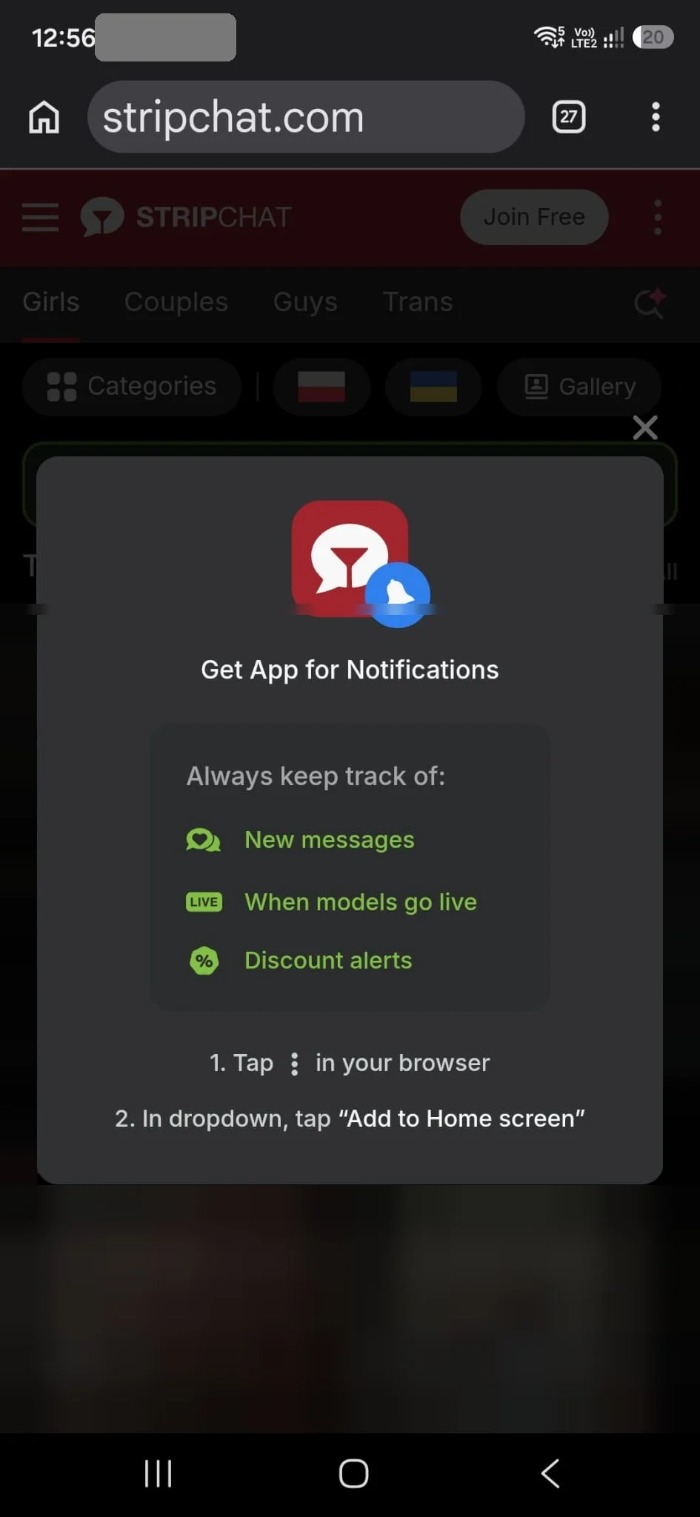
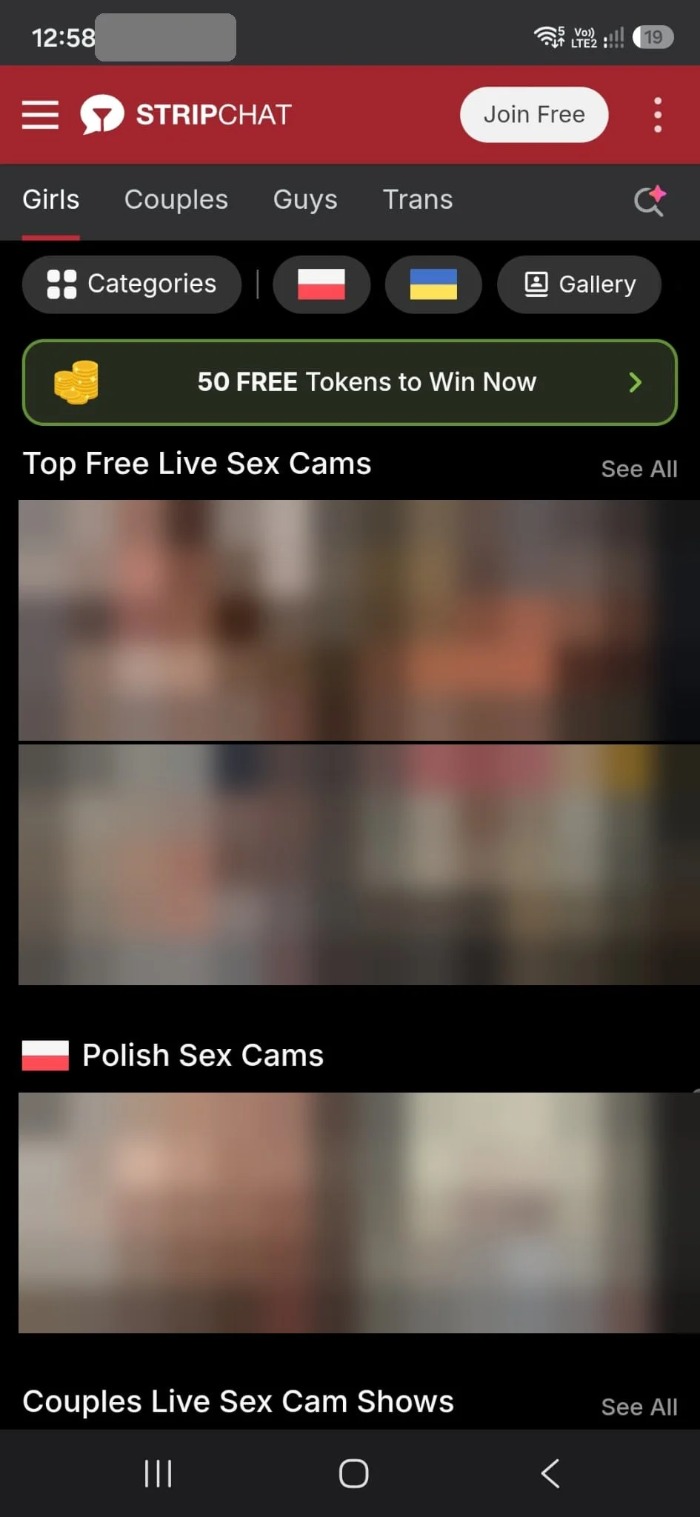
On our screenshots it is the stripchat.com website launched as an app. Chrome describes it as opening the site in a separate window. You do not download a separate program from a store. The page in the app window looks like it does in the browser, with the menu, search, the Girls, Couples, Guys and Trans tabs and the button to top up tokens. On the phone message Stripchat encourages installing by mentioning notifications: new messages, the moment models go live and discount alerts. We have not tested how those notifications work.
Install on a computer (Chrome, Windows)
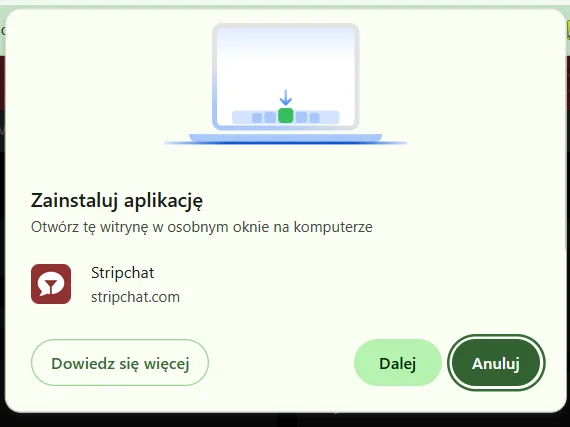
- Open stripchat.com in Chrome. When the page is ready to install, Chrome shows an “Install app” window with the name Stripchat and the address stripchat.com. Click “Next”.
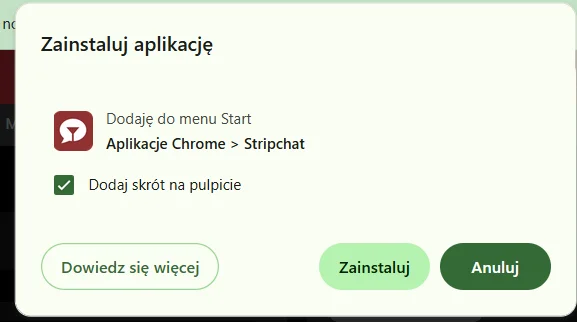
- Confirm the shortcut. The second window says the app will be added to the Start menu in the “Chrome Apps” folder. “Add shortcut to desktop” is ticked by default. Untick it if you do not want an icon on the desktop, then click “Install”.
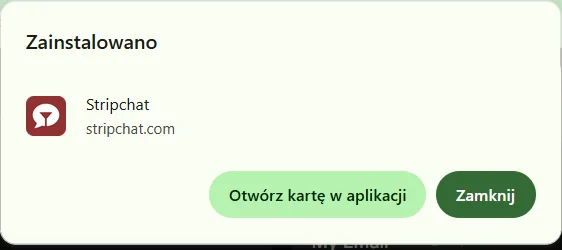
- Done. Chrome shows “Installed” and an “Open tab in app” button.
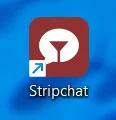
- Start the app. A Stripchat icon appears on the desktop, and clicking it opens a separate window with an “Uninstall” button in the title bar.
Install on a phone (Android, Chrome)
- Open stripchat.com in Chrome. The page may show a “Get App for Notifications” window telling you to tap the three dots in the browser and choose “Add to Home screen”.
- Choose how to add it. Chrome shows an “Install and create shortcut” sheet with two items. “Install” adds the app, and “Create shortcut” adds a plain shortcut that opens in Chrome.
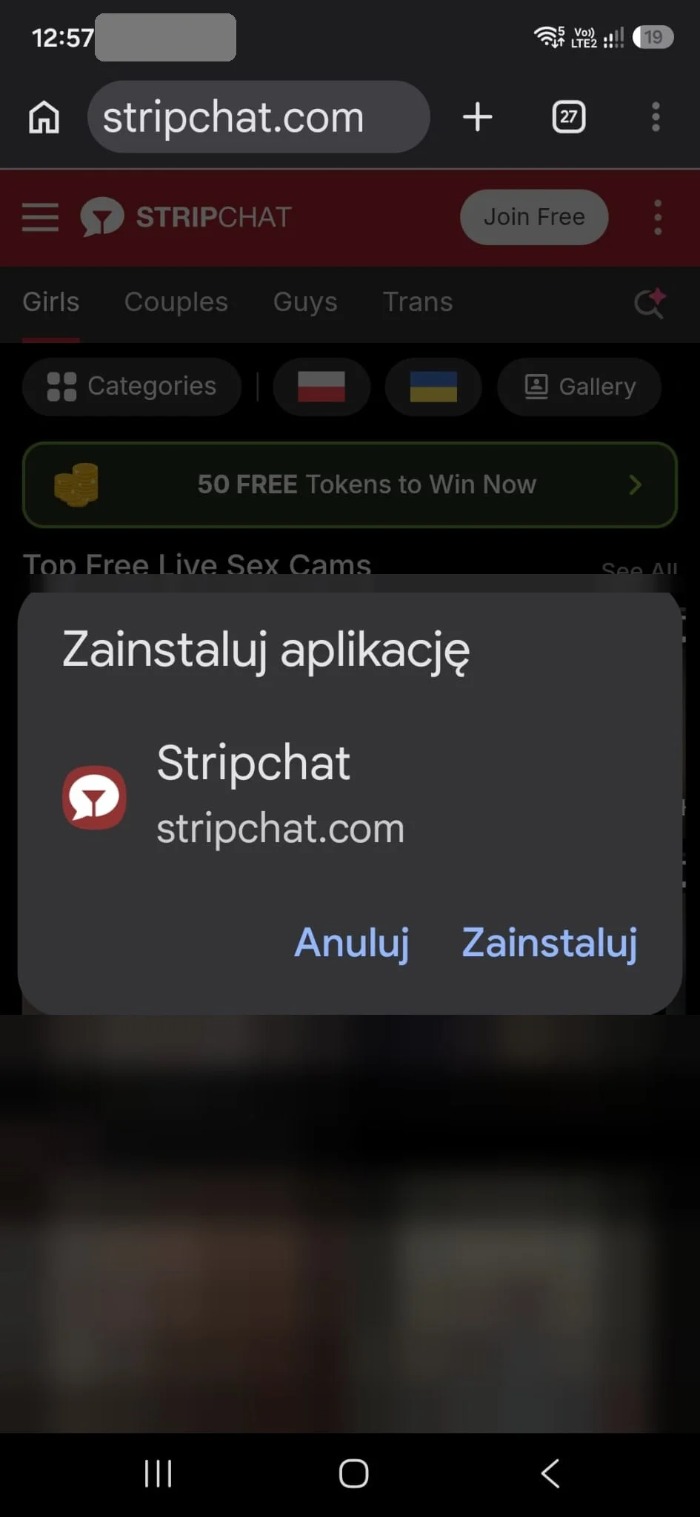
- Confirm. In the “Install app” window tap “Install”.
- Find the icon. Stripchat appears among the apps on your phone.
- Open the app. The site starts full screen, without the Chrome address bar.
iPhone
We have not tested installation on an iPhone, so we do not describe its steps. If you use Safari, look for the option to add the page to the home screen in the share menu.
Privacy after installing
- The icon is visible. On the desktop and in the Start menu, or on the phone, you will see the Stripchat name and logo. If you share a computer or phone, consider installing without the desktop shortcut.
- Notifications. If you turn them on, they may show content on the lock screen. Turn off previews in the phone settings.
- Logging out. The app keeps your session like a browser does. On someone else’s device, log out after the session.
How to uninstall the app
On a computer use the “Uninstall” button in the app window title bar. On a phone, remove the icon like any app. This does not delete your Stripchat account, history or saved payment methods.
When the install window does not show
- Use Chrome, because on our screenshots the installation works through Chrome.
- Check the browser menu (three dots): Chrome has an item related to installing apps there. Its name depends on the version.
- If the app is already installed, the window will not appear.
FAQ
Is the Stripchat app in Google Play or the App Store?
On our screenshots the installation goes through the Chrome browser, without an app store: Chrome installs the stripchat.com website as an app. We did not check whether Stripchat has a separate app in the stores.
Does installing the app cost anything?
On our screenshots Chrome shows no installation fee. You pay only for tokens if you buy them yourself. You log in to the same account as on the website.
Is the app more private than the browser?
Not just because it is installed. The account, history and payments are the same as on the website. What changes is that an icon with the Stripchat name appears on your computer and phone, and notifications may be visible on the lock screen.
How do I remove the Stripchat app?
On a computer use the “Uninstall” button in the app window bar, on a phone remove the icon like any app. Removing the app does not delete your Stripchat account.
Can I install Stripchat on an iPhone?
We did not test an iPhone. Our screenshots come from Chrome on Windows and on Android.
See also
Sources: our own screenshots from 17 November 2026 (Chrome on Windows, Chrome on Android). This article contains affiliate links; if you register or buy through them we may earn a commission, and the price for you does not change. Content for adults (18+) only. See how we review.