BongaCams Step by Step: Account, Tokens and Chat Modes
Updated 21 October 2026. We describe the sign-up process from our own test account (screenshots below, interface shown in English). The rest comes from the site’s FAQ and independent reviews.
This guide covers how BongaCams works in practice: the difference between a guest and a member, how to create an account, how tokens and chat modes work, and how to stay within budget. For our overall verdict, read the BongaCams review.
Guest, free account and Premium
- Guest: you can watch public streams from your first visit, but you cannot write, and you appear in rooms under a random nickname.
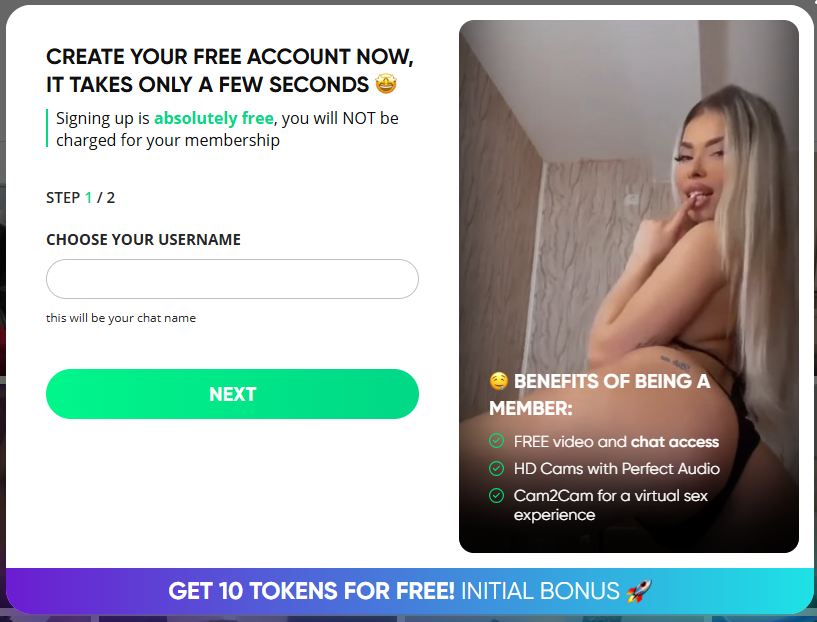
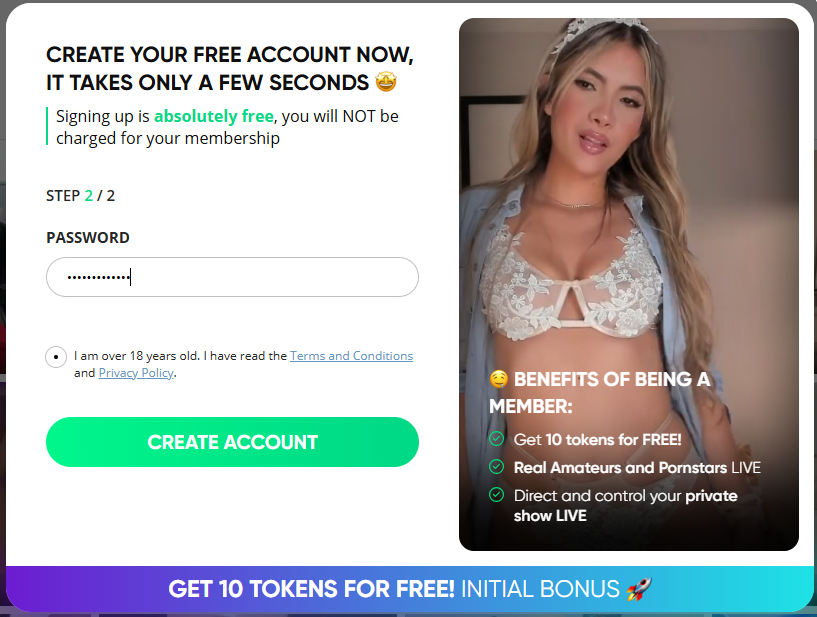
- Free account: pick a username and a password and give an e-mail address for verification. The username becomes your chat nickname and can be changed later. The site describes this as free membership with no time limit.
- Premium status: per the FAQ, it is granted automatically after your first token purchase, permanently and without extra fees. It unlocks private messages to performers and lets you turn on your own camera.
Tip: your username is visible to others, so choose a nickname that does not reveal who you are.
Creating an account step by step
- Go to the official site, BongaCams.com (18+) (affiliate link, opens in a new tab), and click the green free registration button.
- Choose a neutral username and a unique password. Use a separate e-mail address.
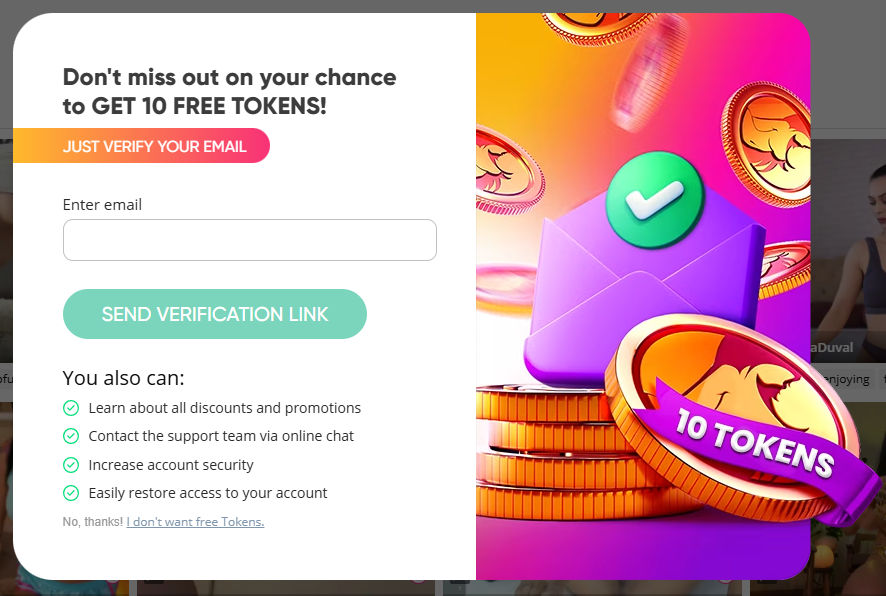
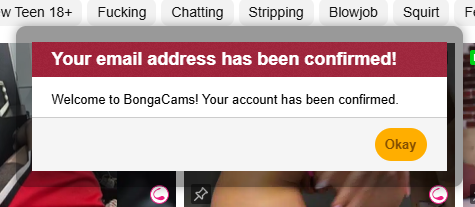
- Confirm your e-mail address using the message you receive.
- Check the account settings and, if you can, turn on two-factor authentication.
- Before buying anything, browse the free streams and read the site rules.
What registration looks like (screenshots)
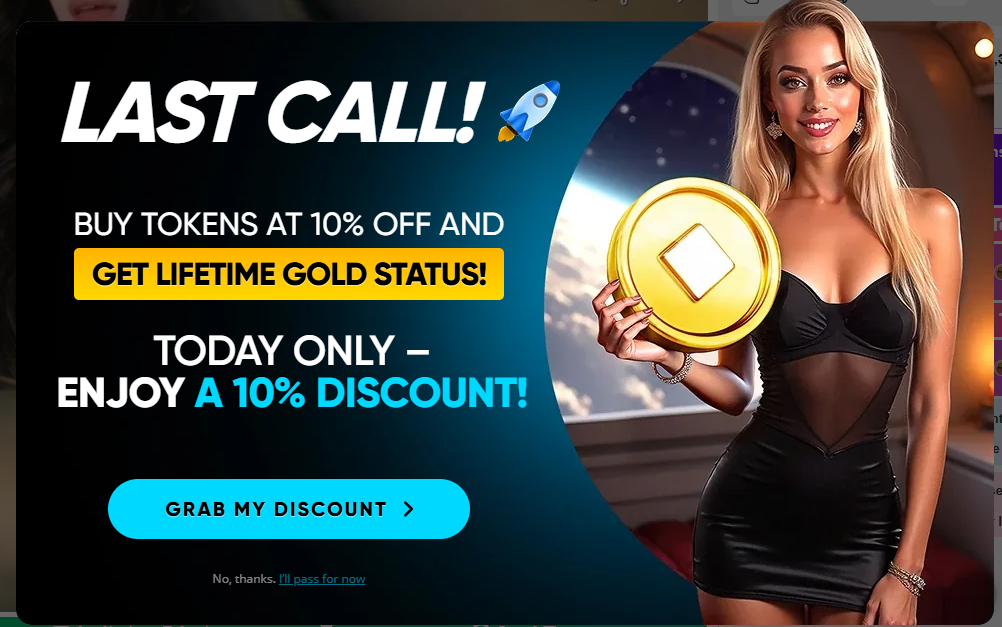
These screens come from our sign-up in October 2026, with background streams blurred. Windows and bonuses change, so treat them as an example.
Who to watch: categories and filters
The home page is split into tabs: All, Women, Couples, Men and Trans, plus New and My follows. You start by choosing the tab that matches what you want to watch. The account, rules and prices are the same whichever category you pick.
- The numbers next to the tab names show how many streams are live in that category, so you can see at once where the choice is bigger. They change during the day.
- Quick filters above the list narrow the selection (we saw, among others, a filter with a Polish flag and “Mobile live”).
- The search box at the top searches performers, categories and tags.
- My follows collects the performers you follow so you can find them again easily.
To browse streams from several sites in one place, use our Live now page.
Chat modes and default prices
Paid modes are billed in tokens per minute. The rates below are the defaults from the site’s FAQ. Performers can set their own prices, so check the rate on screen before you start.
| Mode | What it is | Default price |
|---|---|---|
| Public chat | watching and chatting in the room; you need an account to write | free (tips optional) |
| Private chat | one on one; other members can watch in spy mode | 60 |
| Fully private chat | like private, but nobody can watch | 90 |
| Group chat | two or more members in a private room | 30 per participant |
| Spy mode | watching and reading someone else’s private chat, no writing | 15 |
A paid show ends automatically when your tokens run out, and you can stop it at any time with the Stop show button. It is a handy budget safeguard, as long as auto top-up is off (see our review). Differences between the modes are explained in spy, group and private chat compared, and the cost of ten minutes in what private, group and spy chat cost.
Prices depend on the performer (screenshots)
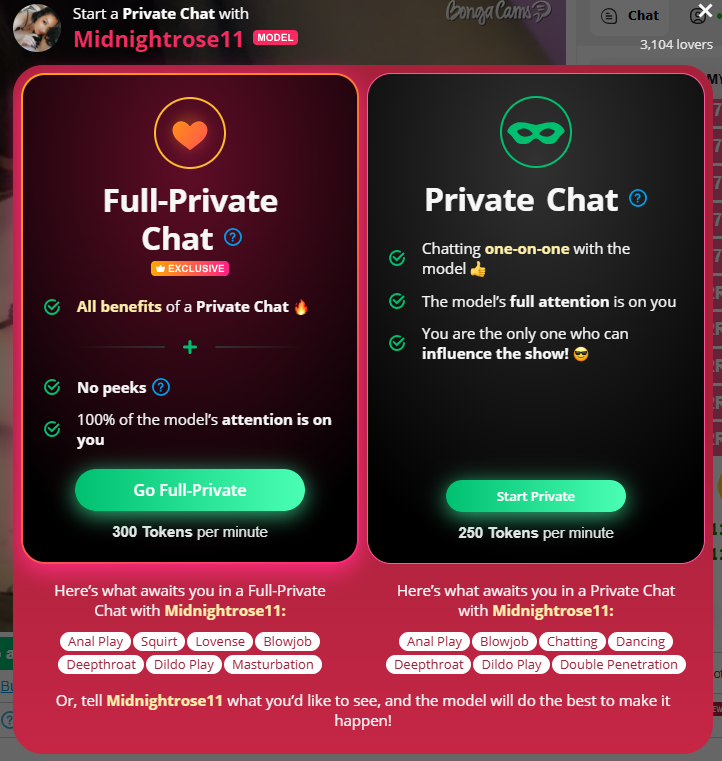
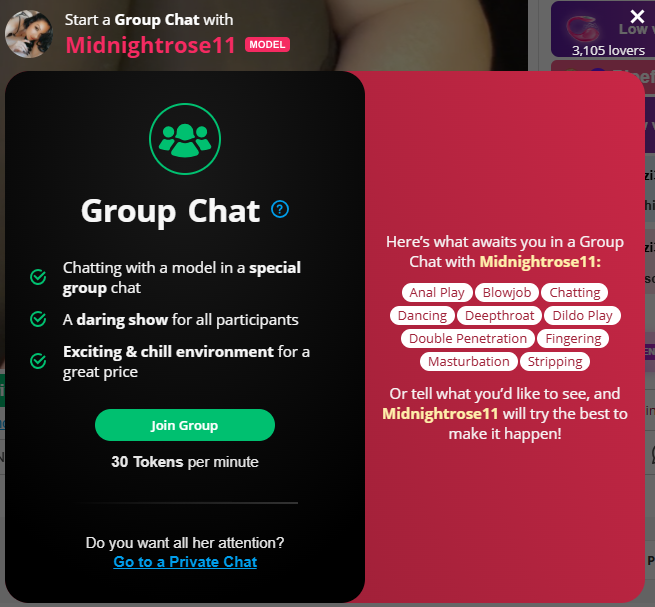
The table shows FAQ defaults, but each performer sets her own prices. In the screenshots below one performer charged 250 tokens per minute for private chat, 300 for fully private and 30 for group. Always read the price in the start window before clicking Start. On BongaCams the currency is simply called tokens.
Fan Boost: a paid highlight
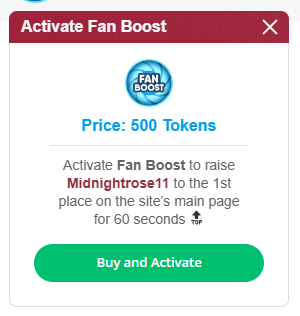
Fan Boost is an optional service that lifts a chosen performer to the top of the home page for 60 seconds, with an icon showing your nickname above the stream. According to the in-site window one Fan Boost costs 500 tokens, an easy expense to click by accident. Premium members get it free at intervals that depend on status: Sapphire once every 7 days, Titan every 3 days, Diamond once a day and Exclusive three times a day. If you do not want to spend tokens, do not click Buy.
The performer profile: what you can do
A profile is a separate page with a description, interests, a goal (a bar showing how many tokens have been collected for a show), social media links and videos. Details such as age or city are declared by the performer and we cannot verify them. The buttons at the top of the profile are:
- Follow and Pin: make it easier to find the performer again.
- Notify me when online: a notification when the stream starts.
- Private message: requires Premium status, according to the FAQ.
- Send tip: a paid function that sends tokens to the performer.

Tips
A tip is a transfer of tokens to the performer. According to the site it is fully optional. Do not tip expecting “payment” for specific behaviour: the site treats tips as gifts, not as payment for a service.
Rules worth knowing
- Performers can remove and block members from their chat for any reason. The site warns against asking for a move to a messenger, phone or any channel outside the platform, which can get you blocked.
- You can use your ignore list to block people you do not want to hear from.
- Do not publish other people’s private data, impersonate moderators, spam or use hate speech.
- Nothing illegal. The full terms are in the site’s terms of use. More in rules, blocking and ignoring.
Before your first payment
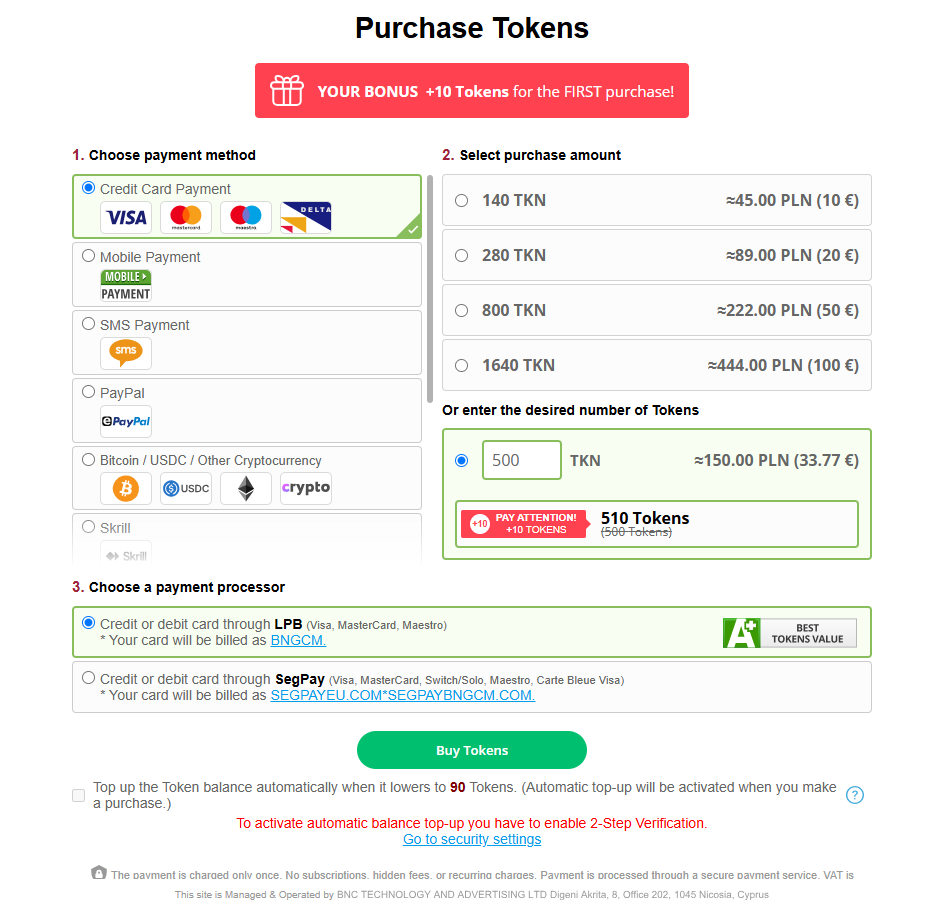
- Token prices depend on country and promotions. On the purchase page (logged in, Poland, 21 October 2026) we saw 140 tokens for €10, 280 for €20, 800 for €50 and 1,640 for €100, plus a custom amount option. The site adds 10 tokens to a first purchase. Only the price in your own cart counts.
- Set a limit and buy the smallest pack.
- Before pressing Start, check the performer’s own rate, and for paid extras such as Fan Boost (500 tokens) read the price next to the button.
- Check how the transaction will look on your statement. According to the purchase page, a SegPay payment shows as SEGPAYEU.COM*SEGPAYBNGCM.COM and an LPB payment as BNGCM. You pick the processor before paying, so you know what to expect. See our purchase test for what a real payment looked like.
- Leave auto top-up off if you want to control spending. The site offers it next to the buy button (it tops up when the balance falls below 90 tokens) and requires two-step verification.
- Never pay outside the platform and never give personal data in chat.
FAQ
Do I need an account to watch BongaCams?
You can watch public rooms as a guest, but guests cannot write in chat and get a random nickname (something like “Guest…”). To chat you create a free account: a username, a password and an e-mail address for verification.
What does Premium status give me?
According to the site’s FAQ, Premium is granted automatically after your first token purchase and stays for good at no extra charge. Among other things it unlocks private messages to performers and the option to show your own camera.
What is the difference between private and fully private chat?
In a private chat you talk to the performer one on one, but other members can watch it in spy mode. A fully private chat does not allow that. Default rates are 60 and 90 tokens per minute, but performers set their own prices.
Does a paid show stop when my tokens run out?
Yes. According to the FAQ, private, fully private, group and spy sessions end automatically when your tokens run out, and you can end them at any time with the Stop show button.
Can I get my money back for a private show?
The site refers you to customer support and notes that performers do not have to fulfil every request, so a refund is not guaranteed. See our guide to refunds and complaints.
Sources
- BongaCams FAQ (Polish version), as of 21 October 2026
- CamRanks and DatingScout reviews of BongaCams
- Our own test account and screenshots, October 2026
This article contains affiliate links. If you register or buy through them we may earn a commission, and the price for you does not change. Prices and terms are set by the site operator and may change. See how we review. Content for adults (18+) only.