BongaCams App: How to Install It on Android and iOS
Updated 15 November 2026. We installed the BongaCams app shortcut ourselves, on Android and on a computer: it installed quickly and without any problems. Screenshots are from the site’s own instructions page and from Chrome, in English.
The BongaCams “app” on your phone
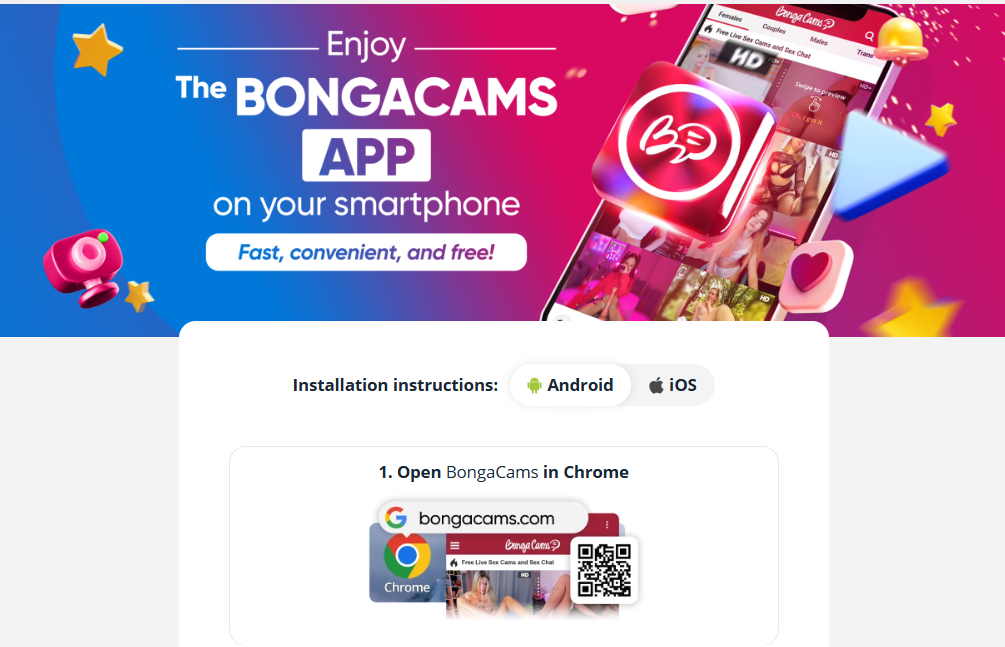
BongaCams advertises a smartphone app as fast, convenient and free. The instructions show, however, that it is not a classic install from an app store. You add the site to your home screen, which creates an icon that opens the service like an app. There are separate steps for Android (Chrome) and iOS (Safari). Both took us about a minute.
Android: step by step
- Open BongaCams in Chrome (you can also scan the QR code shown on the page).
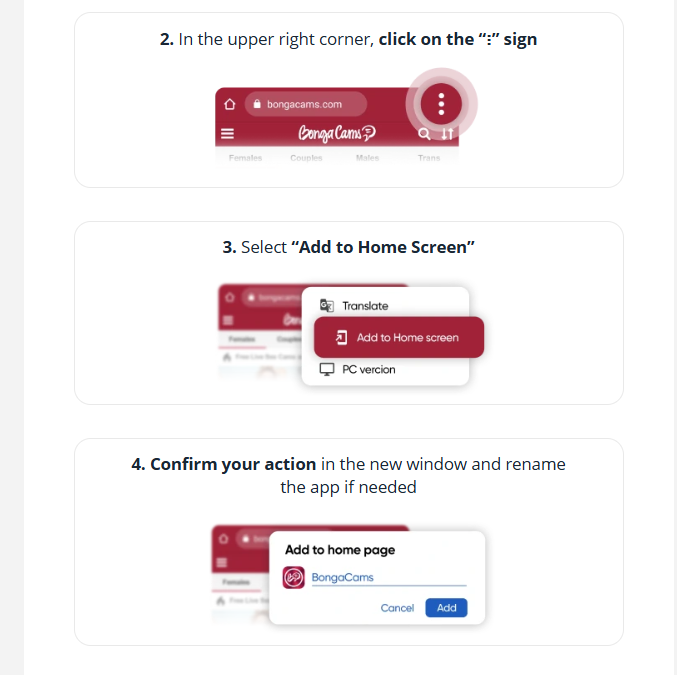
- Tap the ⋮ icon in the top right corner.
- Choose Add to Home screen.
- Confirm in the new window and rename the app if you want.
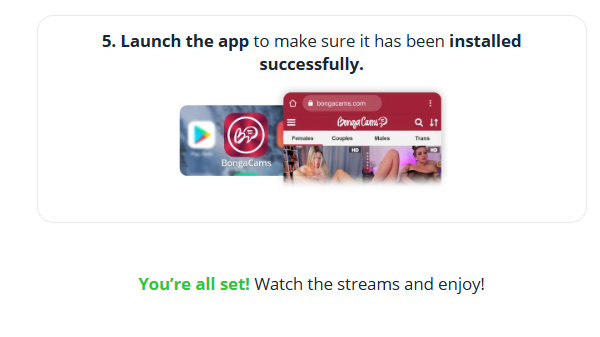
- Launch the app from your home screen to make sure it installed.
iPhone and iPad (iOS): step by step
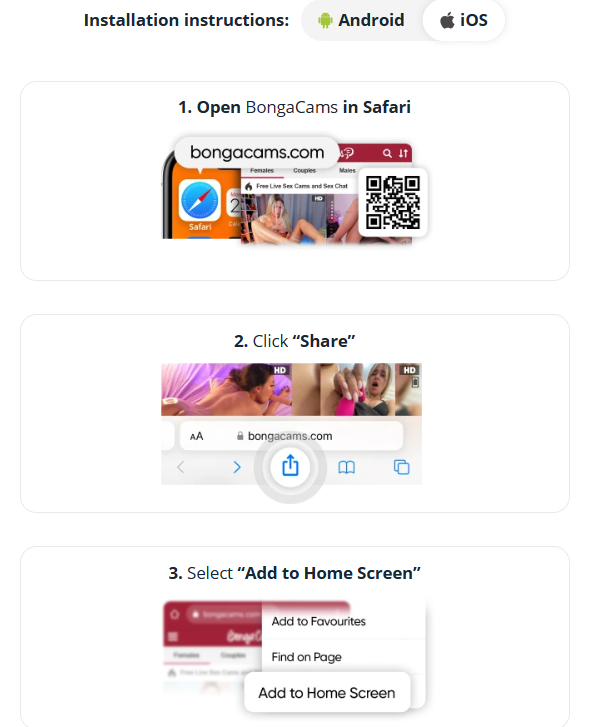
- Open BongaCams in Safari.
- Tap the Share button.
- Choose Add to Home Screen.
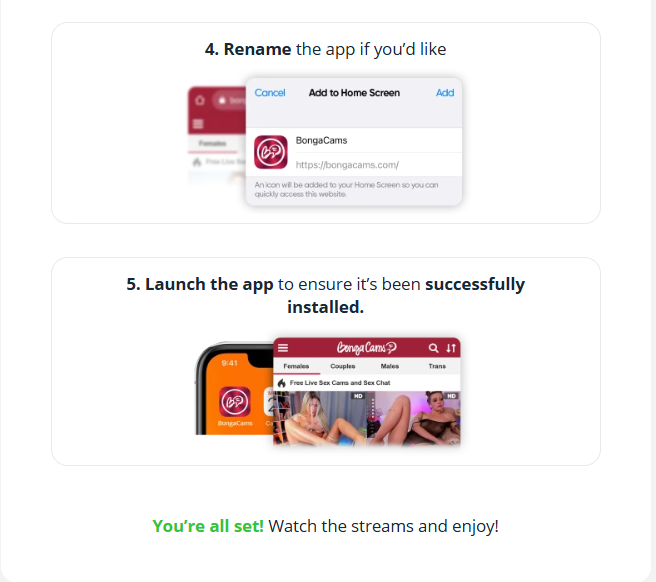
- Rename the app if you like and tap Add.
- Launch the app to check it installed.
Installing on a computer (Chrome)
The same page works on a computer. In Chrome, an install icon appears in the address bar when you visit the app page. The Install app window explains that the site will open in a separate window on your computer. After you click Next you can choose whether to add a shortcut to the Start menu and to the desktop, and after Install a confirmation appears with an Open tab in app button. The app runs in its own window and can be removed with the Uninstall button in its title bar. It is still the same BongaCams site in a separate window, so the same privacy and payment rules apply.
Note: stream previews appear in that window just as in the browser, so do not open it on a work computer or anywhere someone can see your screen.
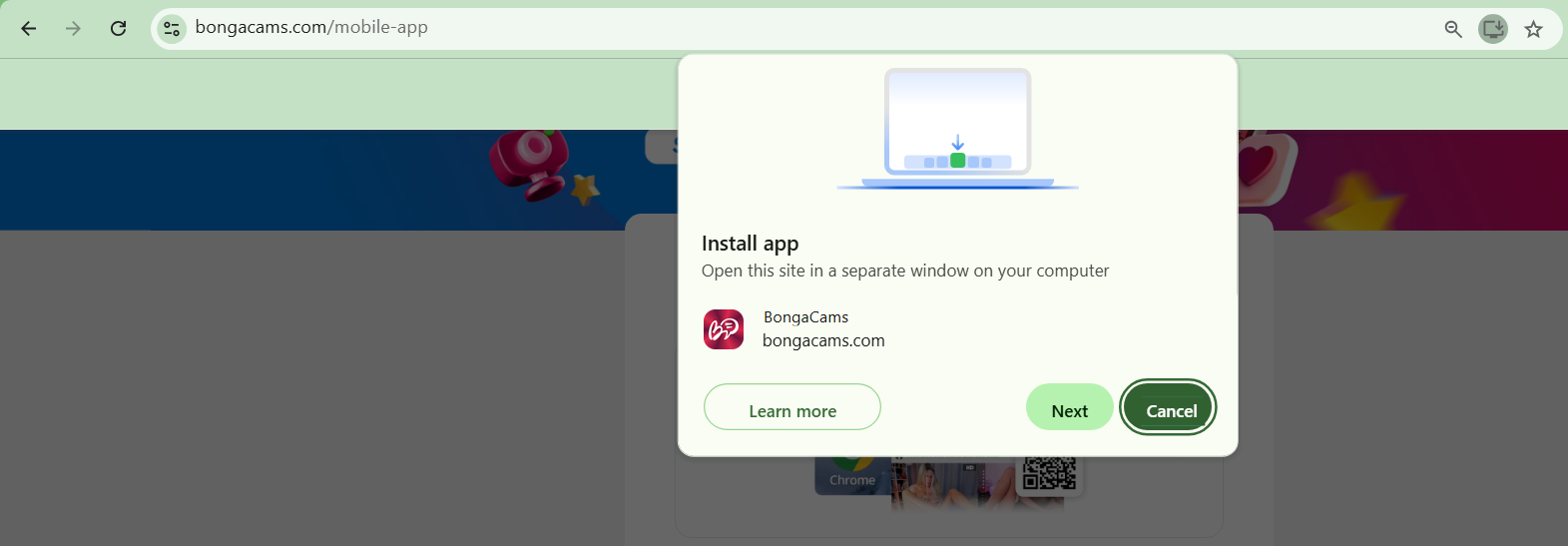
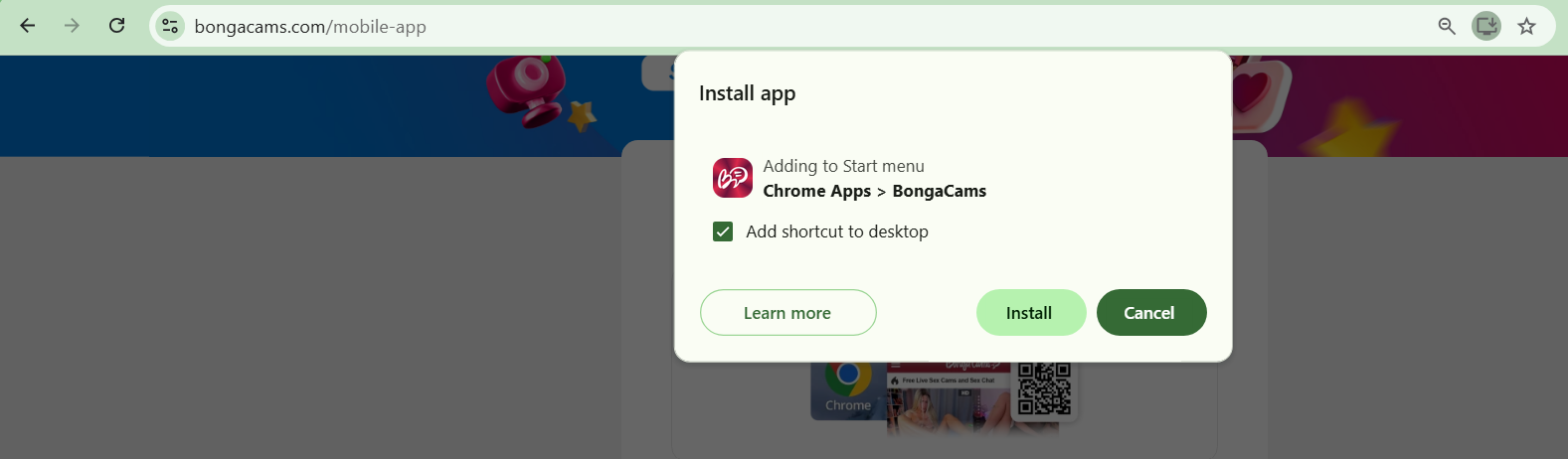
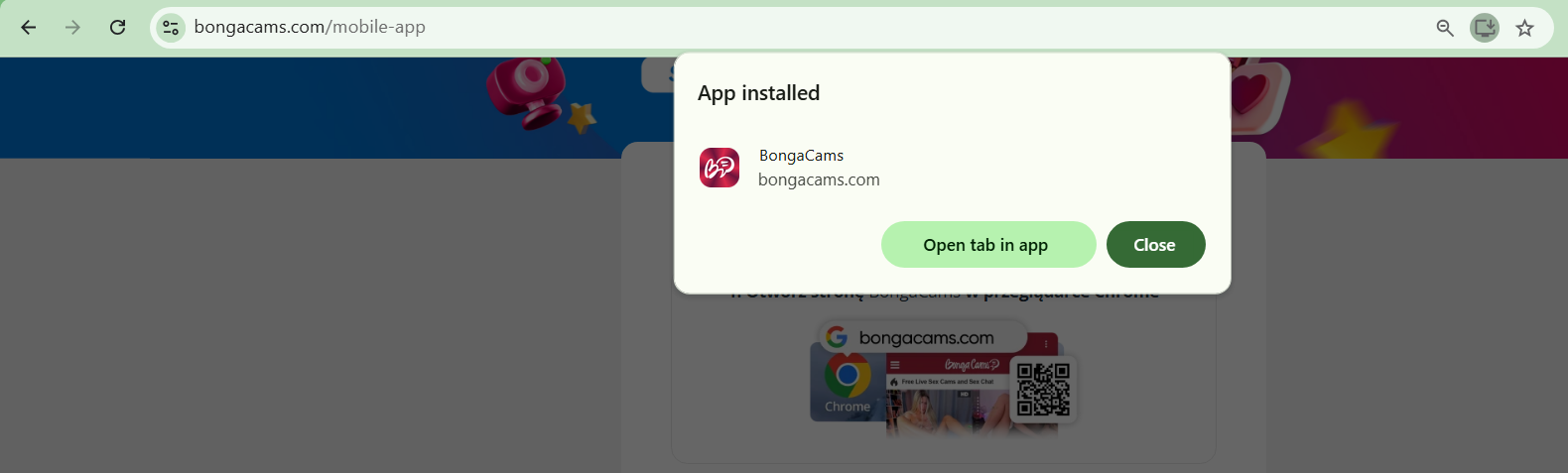
The Chrome screenshots were originally taken on the Polish version of the site and the text on them was translated into English for this article.
What to watch out for
- The shortcut is named BongaCams by default and lands on your home screen. If you do not want someone to see it on your phone, rename it during the install step or do not add it on a device other people use.
- Because it is only a shortcut to a website, never install APK files or “official apps” from random sites and messengers. That is a common way to spread malware.
- The shortcut works like the site in a browser: the same payment and privacy rules apply, and 18+ streams show on your screen, so do not open them in public places.
- Before paying, check the address in the browser and the data you enter.
More about the site in the BongaCams review. See also BongaCams step by step, bonuses after signing up, membership levels and Invisible mode.
18+ advertising. The link is an affiliate link: we may earn a commission and you pay no more. We describe information from the BongaCams site; we are not its official representative.